
Download Replay – AI voice, music remix, audio tool, voice cloning, track separation, offline audio app, cover song creator, creative music app
Overview
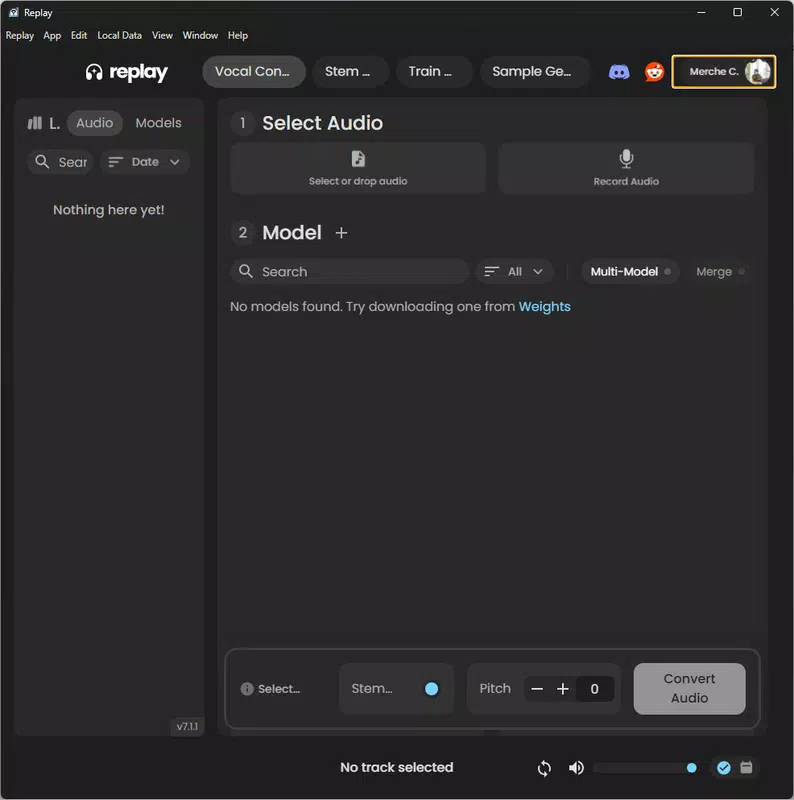
Replay is a free mobile application designed for musicians and music enthusiasts seeking innovative ways to explore audio creativity. Built on the foundation of artificial intelligence, the app enables users to generate unique cover songs and remixes by replacing original vocals with AI-generated voice models. This functionality empowers individuals to reimagine existing tracks with voices from a wide range of sources, including famous personalities and animated characters. The app’s primary purpose is to lower the barrier to entry for music production, offering accessible tools that cater to both beginners and experienced audio professionals.
Replay solves common challenges in music creation such as limited vocal range, lack of access to studio resources, and the complexity of audio editing. By integrating AI-driven voice cloning and track separation, the app allows users to experiment with music without requiring formal training or expensive equipment. Real-world use cases include creating personalized covers for social media, producing DJ sets, or experimenting with vocal styles in a safe, digital environment. The app is particularly valuable in the growing ecosystem of AI-powered music tools, where accessibility and creativity are paramount.
Developed by Weights, Replay reflects a trend toward democratizing music production through mobile technology. Although the developer did not provide additional technical details, the app’s focus on offline functionality and an extensive voice library suggests a strong commitment to usability and creative freedom. As the demand for on-the-go music tools increases, Replay positions itself as a versatile utility for smartphone users looking to express their musical ideas anytime, anywhere.
Key Features & Functionality
Replay delivers a suite of AI-powered tools tailored for modern music creators. Each feature is designed to enhance the creative process while maintaining ease of use across different skill levels.
- AI Voice Cloning: Users can replace vocals in any uploaded track with AI-generated voice models from an expansive library. This allows for creative reinterpretations of songs using voices that range from celebrities to fictional characters, enabling unique artistic expression without vocal limitations.
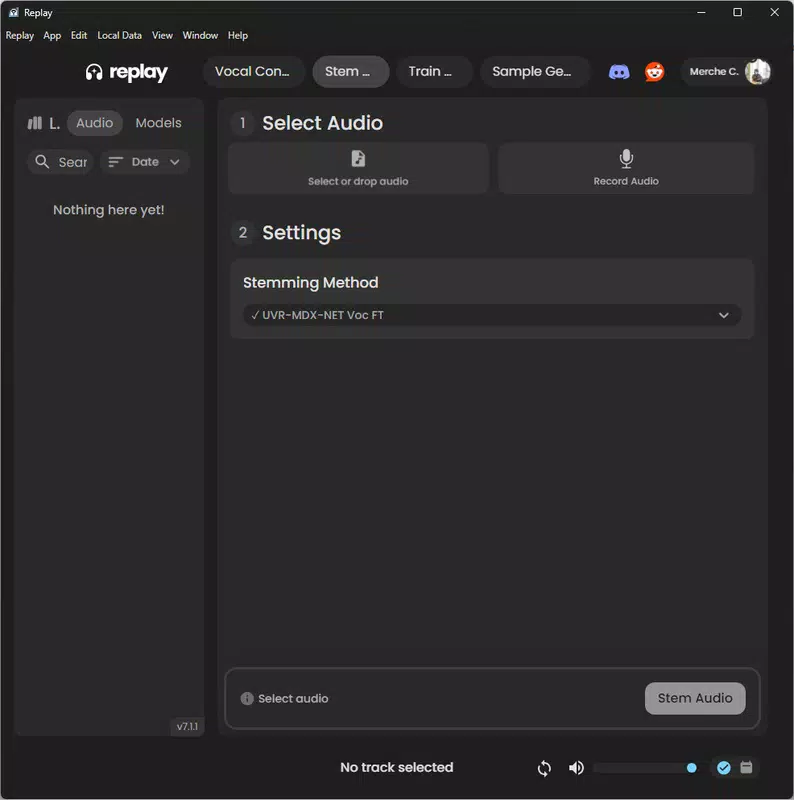
- Track Separation: The app uses advanced AI to isolate vocals and instrumental tracks from audio files. This functionality is ideal for remixing, allowing DJs and producers to extract specific elements and rework them into new compositions, enhancing both flexibility and precision.
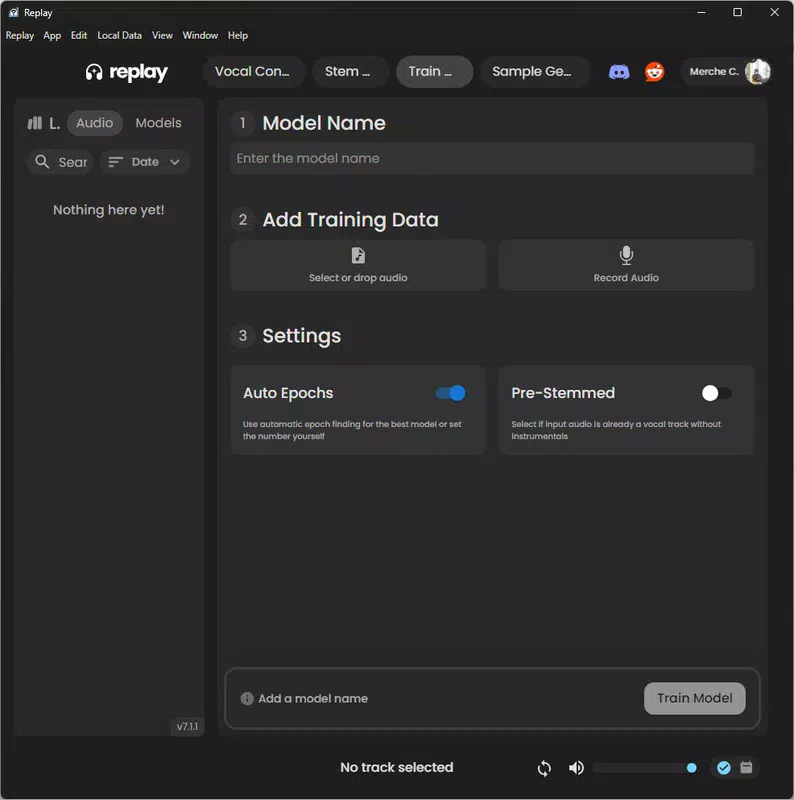
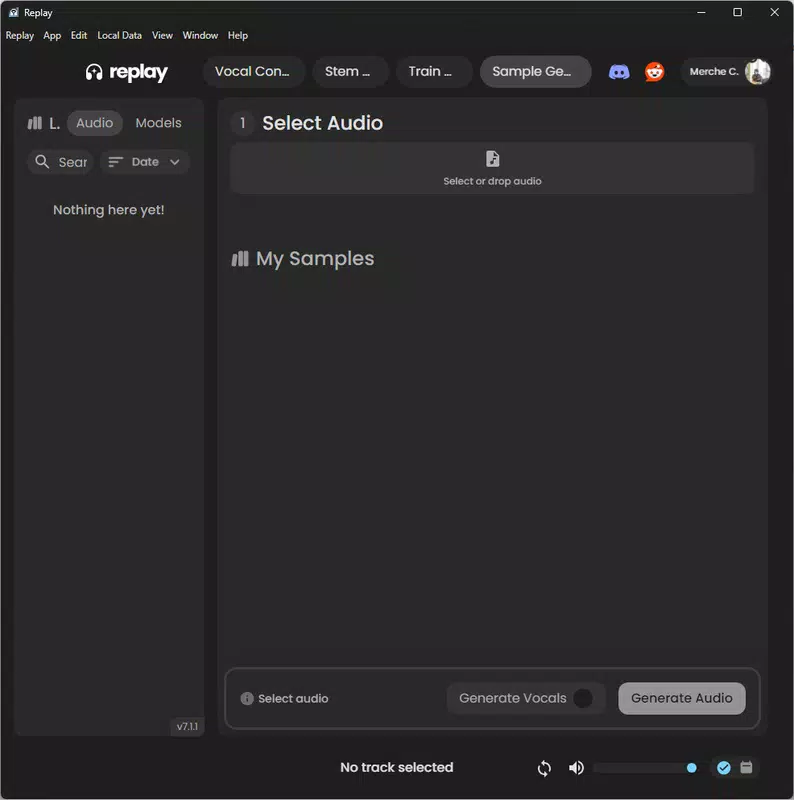
- User-Friendly Interface: Designed with intuitive navigation, the interface ensures that users can upload tracks, select voice models, and apply edits with minimal effort. The streamlined layout reduces cognitive load, allowing users to focus on creativity rather than technical complexity.
- Offline Functionality: Replay operates without requiring an internet connection, enabling uninterrupted music production. This is especially beneficial for users in remote areas or during travel, ensuring consistent access to tools regardless of connectivity.
- Extensive Voice Library: The app features a diverse collection of voice models contributed by the Weights community. This variety allows users to explore different vocal styles, accents, and tones, significantly expanding the creative possibilities within a single application.
For example, a beginner could use the app to create a cover of a popular song using a famous artist’s voice, while a professional producer might use track separation to extract a melody and rebuild it with a new vocal layer. These real-world applications demonstrate Replay’s versatility and value across different user profiles.
Interface, UX & Performance
The user interface of Replay is designed with clarity and functionality in mind. The layout follows a clean, minimalist aesthetic, with clearly labeled buttons and logical navigation flow. Users can access core features—uploading audio, selecting voice models, and applying edits—through a straightforward sequence of steps, minimizing the learning curve.
Visual feedback is consistent, with progress indicators during processing tasks such as track separation and voice synthesis. The app maintains a responsive feel, with minimal lag during routine operations. Although the developer did not list formal performance metrics, the app’s ability to function offline suggests efficient resource management and optimized processing.
Performance across different device categories appears to be well-balanced. While specific requirements were not listed, the 78.2 MB file size indicates a lightweight design, which typically supports smooth operation on a wide range of Android devices. Stability during extended use has not been reported, but the app’s focus on offline functionality implies a design prioritizing reliability and consistent performance.
Overall, the UX is intuitive and accessible, making it suitable for users of all experience levels. The app’s emphasis on simplicity without sacrificing functionality reflects a thoughtful approach to mobile design.
Platform Compatibility & Technical Requirements
Replay is available exclusively on the Android platform. The current version is 1.0.0, with a file size of 78.2 MB. This indicates a compact, lightweight application that can be easily installed on most modern Android devices.
The developer did not specify minimum OS requirements or compatibility details beyond the platform. As such, users should verify device compatibility before installation. It is recommended to ensure the device runs a recent version of Android to support the app’s AI processing features and ensure optimal performance.
Given the app’s offline capabilities, it does not rely on constant internet access, which reduces dependency on network conditions. However, initial setup or voice model updates may require connectivity, though this was not explicitly stated.
Pros and Cons
Pros
- Free to download and use, making it accessible to a broad audience.
- Offers AI-powered voice cloning and track separation for advanced music editing.
- Features an extensive voice library from community contributors.
- Operates fully offline, enabling uninterrupted creativity.
- Intuitive interface suitable for both beginners and professionals.
Cons
- Platform availability limited to Android only.
- Specific system requirements were not disclosed.
- No information provided on update frequency or long-term support.
- Offline functionality may limit access to new voice models without internet.
- Developer details beyond the name were not available.
FAQ
Is Replay safe to use?
Yes, Replay is designed as a secure mobile application. As a free tool, it does not require sensitive permissions beyond those necessary for audio processing. The app operates offline, reducing exposure to online data risks.
Can I use Replay without an internet connection?
Yes, Replay supports full offline functionality. Users can upload audio, apply voice models, and perform track separation without needing an internet connection.
Is Replay available on iOS?
Currently, Replay is only available on the Android platform. There is no official information about an iOS release.
How often are new voice models added?
The developer did not specify update frequency. New models may be added periodically through community contributions or official updates.
Do I need prior music production experience to use Replay?
No. Replay is designed with a user-friendly interface that enables both beginners and experienced users to create music without formal training.
Final Thoughts
Replay stands out as a powerful, accessible tool for anyone interested in music remixing and creative audio production. Its combination of AI voice cloning, track separation, and offline operation makes it a standout in the mobile music app space. Whether you're a hobbyist experimenting with cover songs or a producer exploring new sonic textures, Replay offers a flexible and intuitive platform to bring your ideas to life.
With its free pricing model and lightweight design, the app lowers the barrier to entry for music creation. The extensive voice library and offline functionality further enhance its appeal, making it a versatile utility for on-the-go creativity.
For musicians, producers, and audio enthusiasts seeking a reliable, secure, and innovative tool, Replay delivers significant value. Its focus on accessibility and user experience positions it as a must-have app in today’s digital music landscape.
Download Replay now


